SLURP tutorial
SLURP is designed to compute a simple land cover map (water, low/high vegetation, bare groud, buildings) from a VHR (Very High Resolution) image with 4 bands (Red, Green, Blue, Near-Infrared). SLURP is based on few or unsupervised algorithms (random forest, clustering, segmentation) that need some auxiliary data for training step.
It had been validated with Pleiades and tested with WordView, CO3D, Pleiades NEO images. It shall also work with images with lower resolution (ex : SPOT 6/7).
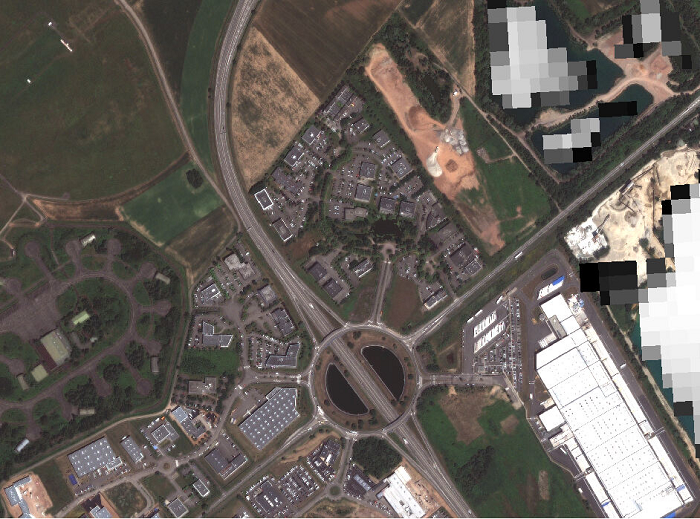
This document presents an example of the SLURP pipeline on an image extract from Strasbourg (France).
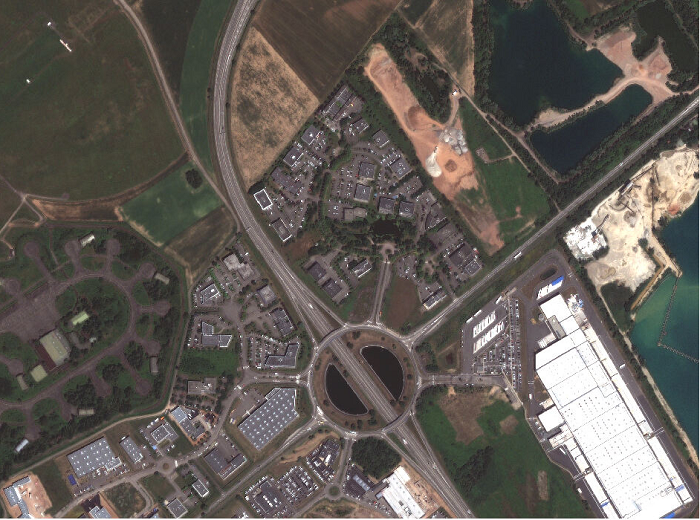
Fig. 1 VHR image
First steps
Activate your environment containing SLURP
Warning
Depending on which computation you want to perform (cf. SLURP pipeline section), you may need to install OTB on your system as an additional dependencies. Please refer to the OTB installation guide provided here for more details.
$ source slurp_env/bin/activate
Get the necessary input data
In addition to the VHR input image, SLURP requires some auxiliary data to compute the different masks.
| Auxiliary data | Step / usage | Comments |
|---|---|---|
| Pekel (Global Surface Water - uint8) |
Water mask prediction : Water occurrence [0–100] during the last 30 years, used to learn a water prediction model (MANDATORY) | The global map is mandatory but you can also use some data by month |
| Hand MERIT (float32) |
Water mask prediction : Map of height above nearest drainage used to optimize choice of "non water" samples in the training step (OPTIONAL) | Free after registration (other kind of HAND maps exist) |
| WSF 2019 (World Settlement Footprint - uint8) |
Urban mask prediction : Global buildings map used to learn a building prediction model (MANDATORY) | Could be replaced by a better resolution map if available (e.g., OSM buildings) |
| ESA WorldCover (uint8) |
Vegetation mask configuration : Global land cover map (10m resolution) used to customize vegetation clustering (OPTIONAL) | Very helpful to parameterize balance between non-vegetation / low and high vegetation clusters (see vegetation mask algorithm) |
| Copernicus WBM (float32 or int16) |
Stack mask : Water Body Mask from Copernicus, used to classify each water body from the watermask (OPTIONAL) | If used, the final map will contain river, lake, sea classes |
Fill in the configuration file
A template for the configuration file is available here. All parameters are explained in the SLURP configuration page.
SLURP pipeline
Additional shell scripts are provided here to launch the steps of the pipeline, but they can also be launched separately as explained below.
Usage without sensor mode (Additional OTB steps may be necessary)
If your input data has undergone geometric processing (e.g. orthorectification), you may need to use OTB to reproject and crop the auxiliary data (Pekel, Hand and WSF masks) to match your input image.
Note
Pekel and Hand data are used to compute the water mask, WSF data is used to compute the urban mask. Vegetation and shadow masks computation do not require any additional data.
Therefore, OTB is not required to compute vegetation and shadow masks.
To install OTB, please refer to the guide provided.
Once installed, you can use the OTB command line interface (CLI) to superimpose Pekel, Hand and WSF data with your input image.
# Superimpose Pekel, Hand and WSF with OTB
# /!\ Adapt path depending on where your global Pekel database (resp. HAND, WSF) is located
otbcli_Superimpose -inr path_to_input/input_file.tif -inm path_to_pekel/pekel_file.vrt -out "out/pekel.tif?&gdal:co:TILED=YES&gdal:co:COMPRESS=DEFLATE" uint8 -interpolator nn
otbcli_Superimpose -inr path_to_input/input_file.tif -inm path_to_hand/hand_file.vrt -out "out/hand.tif?&gdal:co:TILED=YES&gdal:co:COMPRESS=DEFLATE"
otbcli_Superimpose -inr path_to_input/input_file.tif -inm path_to_wsf/wsf_file.vrt -out "out/wsf.tif?&gdal:co:TILED=YES&gdal:co:COMPRESS=DEFLATE" uint8 -interpolator nn
Usage in sensor mode (OTB is not required)
If your input data image is in sensor geometry, please use SLURP with the sensor_mode option set to True.
This mode allows to use images in sensor geometry, Pekel, Hand and WSF masks are directly processed during SLURP’s preparation step.
SLURP’s preparation step
We need to prepare all the auxiliary data required to calculate the masks. This includes reprojection (when using sensor_mode option) and
cropping.
Run the following command :
slurp_prepare main_config.json
Or use the Python API :
import slurp-masks as slurp

slurp_prepare(main_config = main_config.json)
The outputs of the prepare script have been stored to the prepare directory.
It contains :
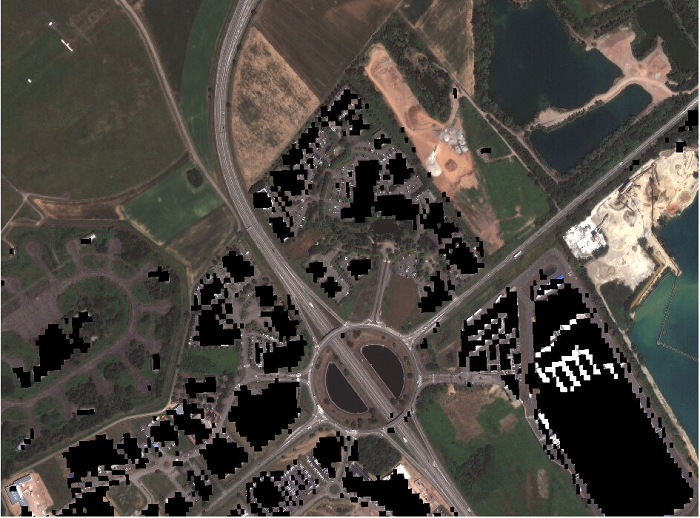
the validity mask
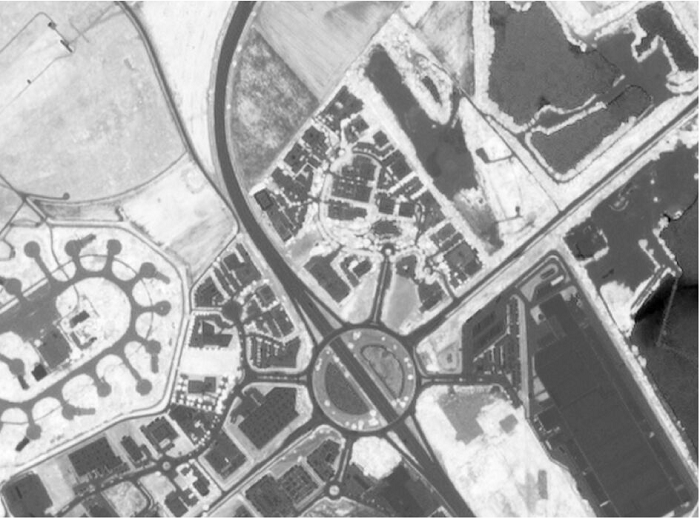
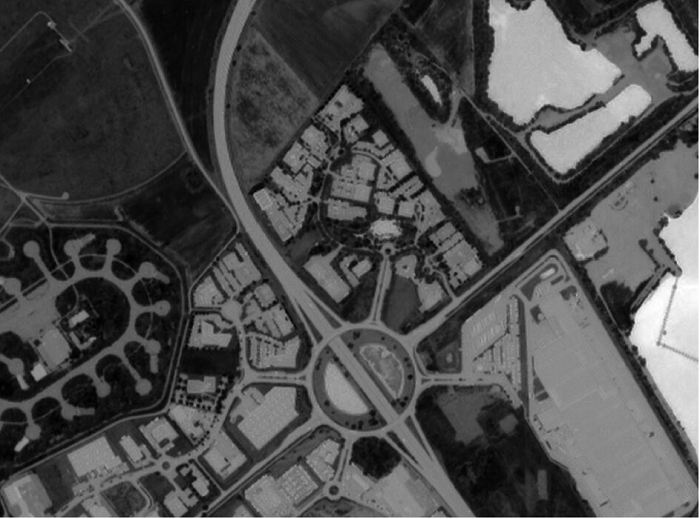
the NDVI and NDWI primitives
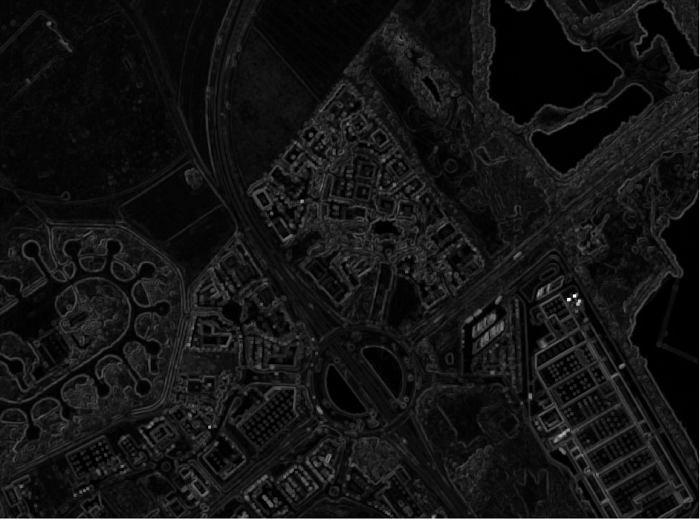
the texture analysis
the superimposed Pekel, HAND and WSF files (only if using sensor_mode option)
the global config JSON file
|
|
|
|
|
| NDVI of the VHR image | NDWI of the VHR image | Squared convolution with a kernel of ones | Reprojected and cropped Pekel mask | Reprojected and cropped WSF mask |
SLURP’s masks computation
Now, the different masks can be computed and finally stacked together. Use either the CLI or the Python API to launch each step.
Generate the water mask
slurp_watermask prepare/effective_used_config.json
import slurp-masks as slurp

slurp_watermask(main_config = prepare/effective_used_config.json)
Generate the vegetation mask
slurp_vegetationmask prepare/effective_used_config.json
import slurp-masks as slurp

slurp_vegetationmask(main_config = prepare/effective_used_config.json)
Generate the shadow mask
slurp_shadowmask prepare/effective_used_config.json
import slurp-masks as slurp

slurp_shadowmask(main_config = prepare/effective_used_config.json)
Generate the urban mask
slurp_urbanmask prepare/effective_used_config.json
import slurp-masks as slurp

slurp_urbanmask(main_config = prepare/effective_used_config.json)
Stack the masks
slurp_stackmasks prepare/effective_used_config.json
import slurp-masks as slurp

slurp_stackmasks(main_config = prepare/effective_used_config.json)
The outputs masks have been stored to the out directory.
It contains :
the water mask
the shadow mask
the urban mask
the vegetation mask
the stack mask
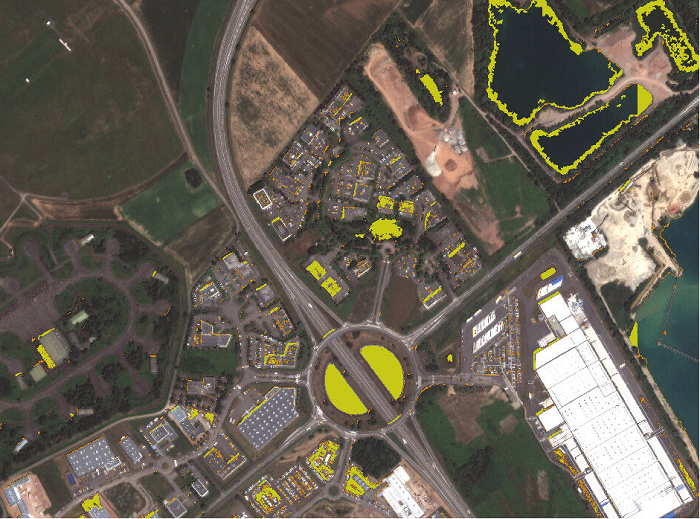
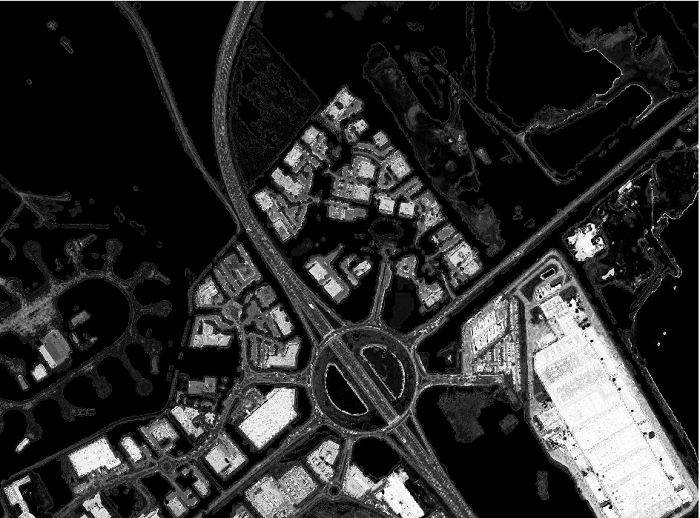
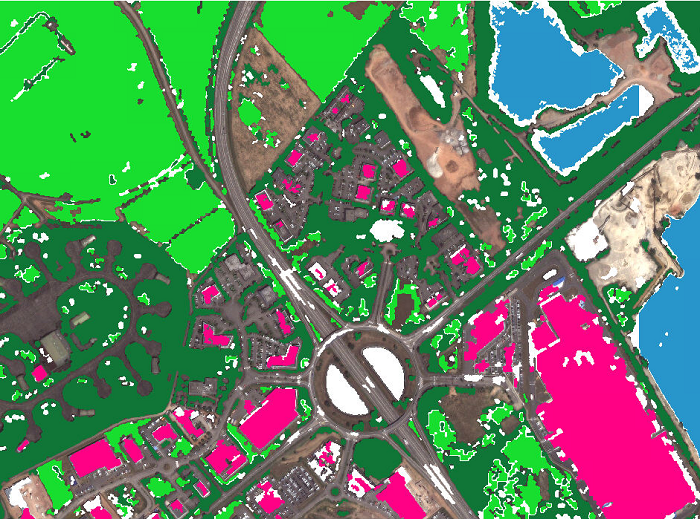
Results
|
|
|
|
|
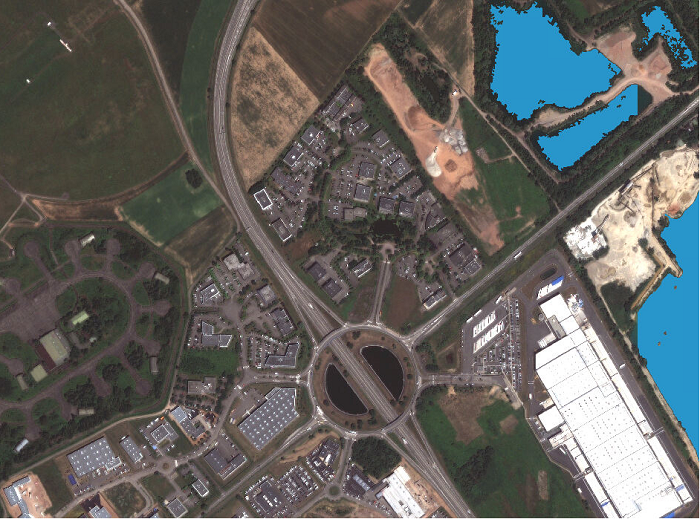
Water mask with style conf/style_water.qml |
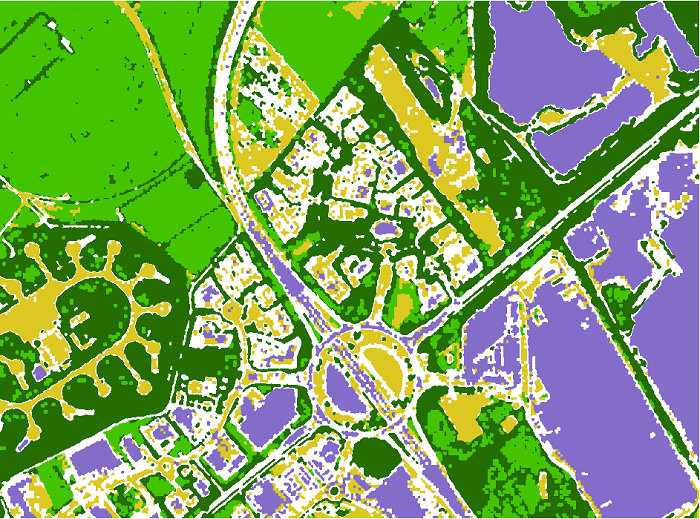
Vegetation mask with style conf/style_vegetation.qml |
Shadow mask with style conf/style_shadow.qml |
Urban mask (building probability) | Stack mask with style conf/style_stack.qml |